
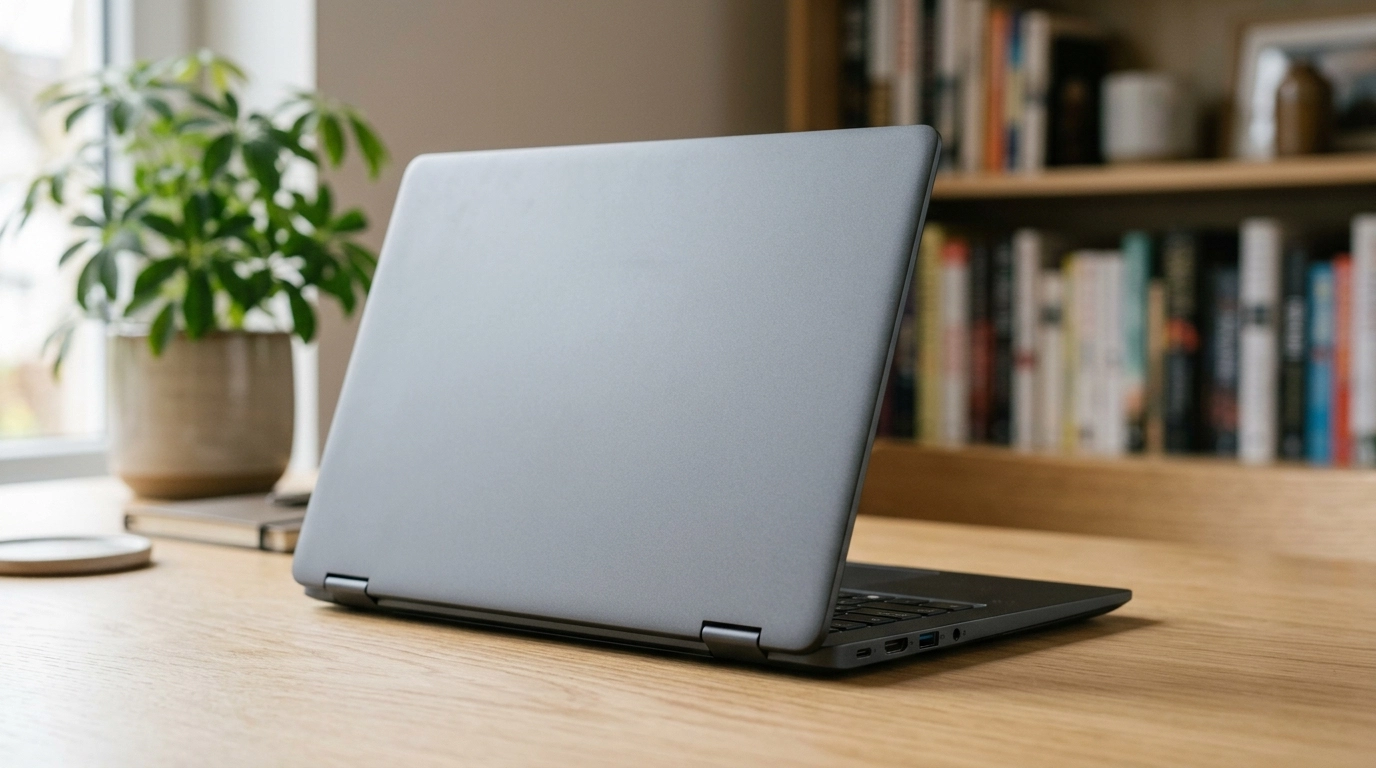
Let’s be honest first: in Pakistan, “budget laptop” usually means whatever is left after rent, bills and everything else has taken its share. For most students, office workers and new freelancers, that lands between Rs 35,000 and Rs 60,000, where the market offers two very different machines: one brand new, shiny and painfully slow, and one that spent a few years on a company desk before being retired, and is faster, tougher and cheaper.
We sell and repair both kinds, so we’ve seen how this ends. Nine times out of ten, the used business laptop is the smarter buy. But not always; some used laptops are just somebody else’s problem with a wiped drive. Below: what your money gets you in 2026, the exact models in our stock with real prices, and the checks that separate a good machine from a headache.
What “Budget” Actually Means in Pakistan in 2026
Forget the dollar-based advice on foreign websites. Here, budget falls into three rough bands:
Under Rs 40,000 gets you older business machines. They handle MS Office, browsing, online classes and research perfectly well. They won’t feel snappy with thirty Chrome tabs open, and their batteries have lived a life already. For documents and the internet, that’s genuinely enough.
Rs 40,000 to Rs 60,000 is the sweet spot: newer processors, better screens, healthier batteries, machines that still feel modern when you open them. Most of our picks sit in these first two bands, because that’s where the value is.
Rs 60,000 to Rs 85,000 buys breathing room: newer generations, more RAM, bigger SSDs, lighter bodies. Worth it if the laptop is your full-time work tool for the next three or four years. Beyond that you’re not really budget shopping anymore.
Why a Used Business Laptop Beats a New Cheap One
Walk into any computer market with Rs 50,000 and ask for something new, and you’ll be offered a Celeron-class processor, a plastic body that flexes in your hand, and storage so slow the machine feels old within six months — plus a warranty card and a shiny lid. That’s about all it has.
Now look at what the same money buys used. Dell’s Latitude, HP’s ProBook and EliteBook, and Lenovo’s ThinkPad lines were built for company fleets and five years of daily office abuse. The bodies are sturdier, the keyboards suit all-day typing, and parts (screens, chargers, batteries, keyboards) are easy to find locally. An old ThinkPad with a healthy battery will outlast a shiny new Celeron without breaking a sweat. We repair both. We know.
These machines were also expensive when new: a Latitude that once cost a company well over a lakh is simply better built than a consumer laptop designed to hit the lowest possible price. You’re buying yesterday’s premium at today’s budget price. The catch is condition, which we’ll get to shortly.
Our Top Picks, Grouped by What You’ll Actually Do
Prices below are our current listed prices; used stock moves fast, so treat them as the range to expect. Most of the list is Dell for a simple reason: Latitudes are what the used market here is full of, and the Dell range runs deep.
If Every Rupee Counts (Under Rs 40,000)
Dell Latitude E3340 (Rs 34,999) — The cheapest sensible way into a real business laptop: an older, smaller Latitude built for schools and offices. Fine for documents, browsing and classes; skip it if you want speed.
Dell Latitude E6440 (Rs 35,999) — Older and heavier than everything else here, and tough in a way modern laptops aren’t. It lives happily on a desk; carry it all day and the weight will annoy you within a week.
Dell Wyse 5470 (Rs 38,999) — Started life as a mobile thin client, a light laptop made to connect to office systems. Off that leash it still handles browsing, Office and online classes fine. Just don’t ask it to do anything heavy.
HP 255 G4 (Rs 39,999) — The odd one out in this band: an entry-level HP rather than a retired corporate machine, so it feels a touch more modern. Fine for home and basic office work; heavy multitaskers will find its limits fast.
Best Picks for Students
Dell Latitude 3310 (Rs 35,999) — A compact Dell from its education line, and a natural hostel laptop: small enough for a crowded desk, sturdy enough for a backpack. Lectures, notes, research, assignments: covered.
HP ProBook 640 G2 (Rs 42,999) — A proper step up in build and comfort, with a keyboard that makes it a better assignment machine than most of what’s under Rs 40,000. ProBooks are easy to service, too. A very safe first laptop.
Dell Latitude 7480 (Rs 47,999) — Slimmer and more modern-feeling than the G2, and easy to carry across campus all day. You’re paying the extra for portability and polish rather than raw speed, and for a student on the move, that’s money well spent.
Office Work and Freelancing
HP ProBook 640 G3 (Rs 49,999) — The newer sibling of the G2 and a dependable everyday office machine: documents, spreadsheets, email and video calls, all day long. If you want one laptop that just works, this is it.
Dell Latitude 5490 (Rs 54,999) and Dell Latitude 5400 (Rs 54,999) — Two mainstream business workhorses at the same price. Honestly, the better buy is whichever unit is in cleaner condition when you hold them side by side. Both suit office staff and freelancers whose day is calls, documents and open tabs.
Dell Latitude 7490 (Rs 59,999) — The one we’d point most people to at the top of this budget: a Core i5 8th Gen machine with 16GB of RAM and a 256GB SSD. Zoom, Office, a browser full of tabs, all at once, without anything freezing mid-call. If your laptop earns your living, spend here.
If You Want macOS on a Budget
MacBook Air 2017 (from Rs 41,000) — The last of the old-style Airs, with the glowing logo and a proper set of ports. Lovely to type on, light, and fine for writing and browsing. The trade-offs are age and battery, so a unit’s battery health decides whether it’s a bargain or a false economy.
MacBook Air 2020 (from Rs 49,000) — Careful: two quite different machines wear this name, an Intel version and the much quicker M1. Prices climb with specification, so the chip inside decides what a unit is worth. Ask which one you’re looking at before you pay.
Quick Comparison
| Model | Price | Best for |
|---|---|---|
| Dell Latitude E3340 | Rs 34,999 | Tightest budgets, light work |
| Dell Latitude E6440 | Rs 35,999 | Desk-based work, durability |
| Dell Latitude 3310 | Rs 35,999 | Students, portability |
| Dell Wyse 5470 | Rs 38,999 | Browsing, classes, light tasks |
| HP 255 G4 | Rs 39,999 | Home and basic office use |
| MacBook Air 2017 | From Rs 41,000 | macOS fans on a budget |
| HP ProBook 640 G2 | Rs 42,999 | Students, all-round value |
| Dell Latitude 7480 | Rs 47,999 | Students who carry it daily |
| HP ProBook 640 G3 | Rs 49,999 | Office work, freelancing |
| MacBook Air 2020 | From Rs 49,000 | macOS with more headroom |
| Dell Latitude 5490 | Rs 54,999 | Office workhorse |
| Dell Latitude 5400 | Rs 54,999 | Office workhorse |
| Dell Latitude 7490 | Rs 59,999 | Serious work, multitasking |
Minimum Specs Worth Insisting On in 2026
Whatever model you pick, three things matter more than the name on the lid.
An SSD is non-negotiable. It’s the main reason an older laptop feels fast. If a machine still has a spinning hard drive, walk away, or budget to swap it first. It’s the difference between booting in seconds and making tea while you wait.
8GB of RAM is the floor. Windows, a browser and Office together eat 4GB before you’ve done any actual work, and a machine that’s constantly swapping to disk feels broken even when it isn’t. 16GB, like the 7490 above, is where multitasking stops being a negotiation.
Processor generation beats processor branding. A five-year-old Core i5 from a business line usually serves you better than a brand-new entry-level chip. It also helps that Windows 11 officially supports Intel processors from the 8th generation onward, so an 8th Gen machine gets a longer supported life. And whatever you buy, check the battery health. On a used laptop, it isn’t a detail. It’s half the product.
What to Check Before You Pay
Used laptops reward ten minutes of checking and punish skipping it. In the shop, machine in front of you, ask for the battery health or cycle count, and be suspicious of anyone who won’t show you. Check the SSD’s health percentage too; a dying drive is a cost heading your way. Type a paragraph, press every row of keys, and check the screen on white and black backgrounds for spots. Make sure the charger is the original (cheap copies quietly murder batteries), and test the webcam, mic and ports.
Where you buy matters as much as what you buy. A crowded market like Hafeez Center or Hall Road can give you a great price and zero recourse if the battery dies in week two. A seller who hands you a checking warranty takes that risk off you. And where loadshedding can leave you on battery for two hours at a stretch, battery health is the difference between finishing your assignment and watching the screen go black.
For Students: What These Machines Can and Can’t Do
Online classes on Zoom or Meet, MS Office, research, PDFs, slides and a dozen reference tabs are all comfortable on every laptop here, including the cheapest ones. Light programming is fine too: if you’re learning Python, C++ or web development, these machines carry you through coursework without drama.
Where you’ll feel the limits is heavy work: big Android projects, virtual machines, serious video editing, or gaming beyond old titles. If that’s your degree or hobby, save longer or spend at the top of the bands above. Otherwise, spend the difference on a good bag and get on with your semester.
For Freelancers: Your Laptop Is Your Office
When your income comes through Upwork or Fiverr, your laptop isn’t a gadget, it’s the shop. Writing, virtual assistance, data entry, basic design work and client management all run happily on machines in the Rs 45,000 to Rs 60,000 range, which is where we’d tell a starting freelancer to aim.
Two things matter more than benchmarks. First, the keyboard and webcam: you’ll type for hours and sit on Zoom calls with clients who judge your professionalism by how you look and sound, so business hardware earns its keep fast. Second, reliability: a laptop that dies on deadline day costs you a client, not just a repair bill, and that maths makes the slightly sturdier machine the profitable choice almost every time.
Mistakes That Waste Money
The most expensive mistake is buying a brand-new entry-level laptop because “new is new”. It feels acceptable in the shop, miserable within months, and there’s no upgrade path to save it. Second is accepting a hard drive in 2026; no discount makes that fair. Third is ignoring the battery: a “cheap” laptop that needs a Rs 6,000 to Rs 8,000 battery replacement next month wasn’t cheap, the price was just split into two payments.
People also overpay for features they’ll never touch, like a touchscreen on a desk laptop, while underpaying for what they use daily: RAM, storage and screen quality. And the quietest mistake is buying the first unit you’re shown, from a seller offering no checking warranty, because the price sounded good. Prices that sound too good usually have a reason.
FAQs
Is Rs 40,000 enough for a good laptop in 2026?
Yes if you buy used, no if you insist on new. Under Rs 40,000, a retired business laptop handles study and office work well, while a new laptop at that price frustrates you within months.
How long will a used business laptop last me?
Two to four more years of daily use if the battery and SSD are healthy, and longer for light work. These machines were built for five-year corporate service lives. The battery ages first, and batteries can be replaced.
Can these laptops run Windows 11?
It depends on the processor: Intel 8th generation and newer generally qualifies officially, and the Latitude 7490 above is one of them. Older models may run Windows 10 instead, which still does the job today, but 8th Gen and up is the safer long-term buy.
Is a MacBook Air worth it on a tight budget?
It can be, if your work lives in the browser and documents and you prefer macOS. Check the battery cycle count first, and remember Apple parts and repairs cost more locally than Dell or HP. For pure value per rupee, Windows business machines usually win.
What’s the single most important check when buying used?
Battery health, closely followed by SSD health: those two decide whether the laptop serves you for years or starts costing you money within months. After that, the screen and keyboard, and always buy from someone who gives a checking warranty in writing.
Conclusion
A budget laptop in Pakistan isn’t about finding the cheapest machine in the market. It’s about spending Rs 35,000 to Rs 60,000 on the right machine: a used business laptop with an SSD, 8GB of RAM and a battery with life left in it, checked properly before you pay, from a seller who’ll stand behind it. Do that, and it stops feeling like a compromise. Browse the current stock, and if you’re torn between two models, tell us your workload and we’ll point you at the one that fits, even if it’s the cheaper one.

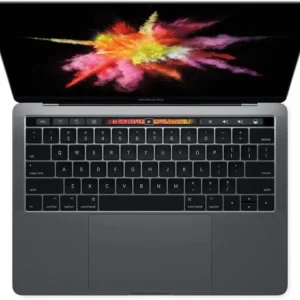 Apple MacBook Pro A1706 2017 | 13.3" Retina | Core i5 3.1GHz | 16GB | 256GB | Touch Bar | Grade A
  Apple MacBook Air A1466 2014 | 13.3" LCD | Core i5 1.4GHz | 4GB | 128GB SSD | Grade A
 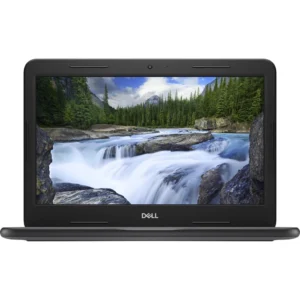 Dell Latitude 3310